Privacy by default,
not by permission.
Spritz Linux is a free, open-source distribution built on Linux Mint 23.2. The telemetry is already gone. Brave is already installed. You just use your computer.
What is Spritz Linux?
Spritz Linux is a privacy-focused Linux distribution built directly on top of Linux Mint 23.2 “Victoria” with the Cinnamon desktop. It ships with everything Linux Mint is loved for — reliability, hardware compatibility, a polished desktop — minus the parts that report back or track your usage.
This isn’t a fork that rewrites the base. It’s a curated build: telemetry packages removed, Brave pre-installed as the default browser, privacy tools installed and ready to use. No configuration required. No privacy dashboards to dig through. It’s done before you get it.
Built by Jason Cook of Spritz Communications in St. Joseph, MO. The full list of every change made is published below — no black boxes.
What You Get
No Telemetry
Ubuntu crash reporters, hardware surveys, and error-reporting daemons are removed before the ISO is built. They’re not disabled — they’re gone.
Brave Browser
Firefox removed. Brave installed with a managed policy — telemetry off, Rewards off, permissions locked down, WebRTC hardened, and AdFree Search set as the default engine and new tab.
Privacy Tools Ready
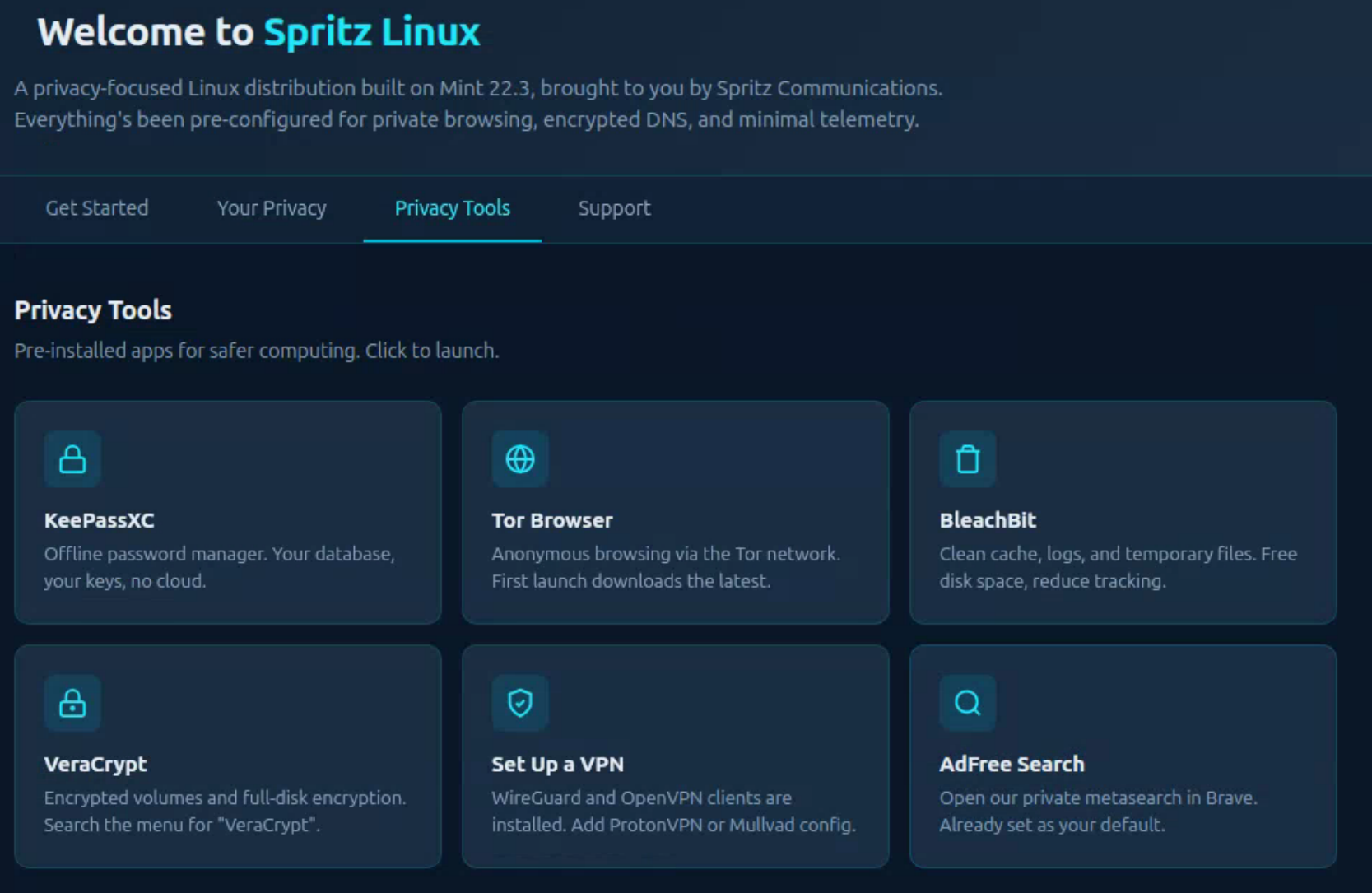
KeePassXC, Tor Browser, VeraCrypt, and BleachBit are installed out of the box. Passwords, anonymity, encryption, and cleaning — all ready on first boot.
Encrypted DNS
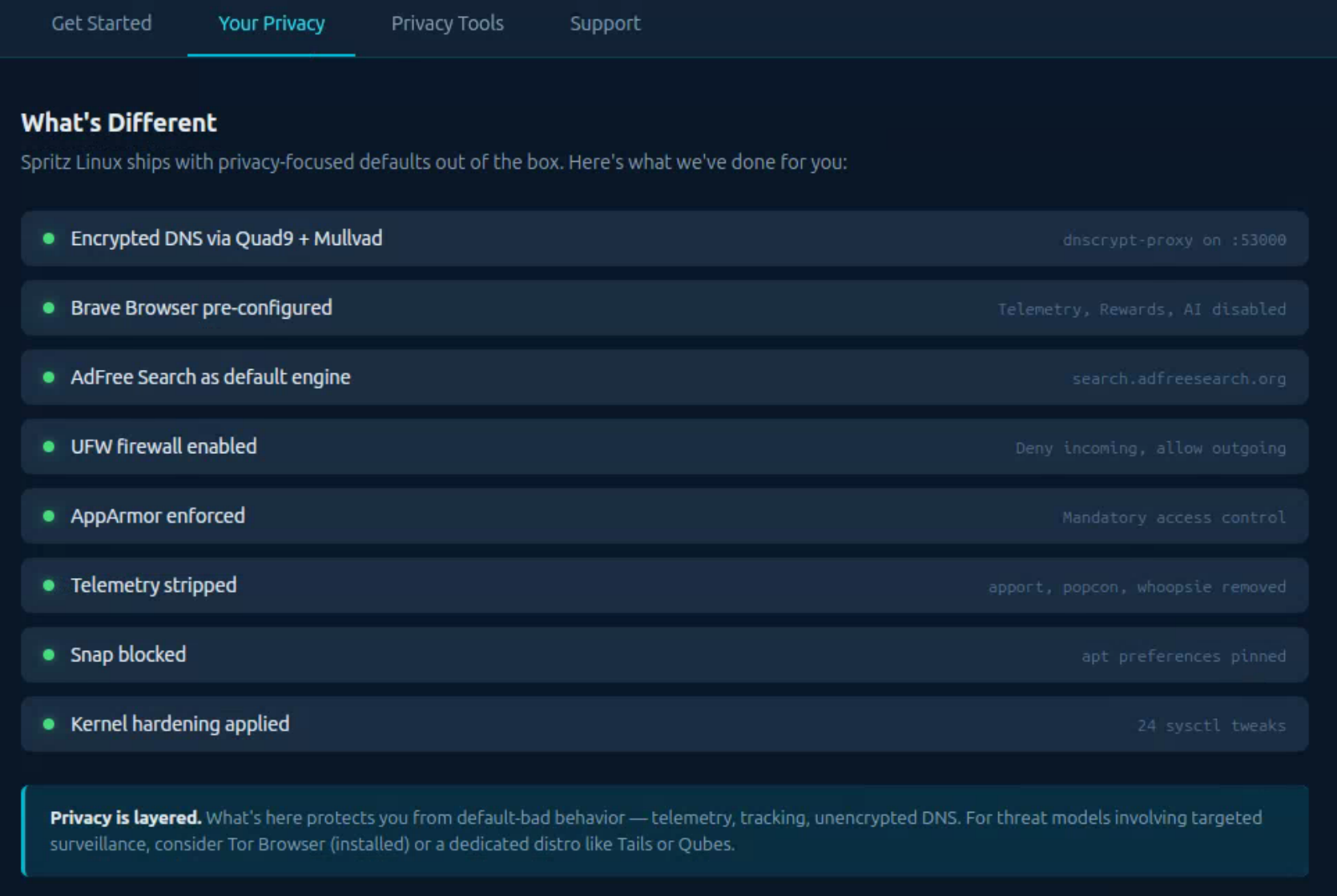
DNSCrypt-proxy routes all DNS queries over Quad9 and Mullvad. Your ISP cannot see what sites you look up. Active from first boot, no setup required.
Firewall On
UFW is enabled with default deny inbound from first boot. No waiting to remember to turn it on after install.
No Snaps
Snapd is removed. All software comes from apt or Flatpak — no background snap refresh, no Canonical snap store phoning home.
Still Linux Mint
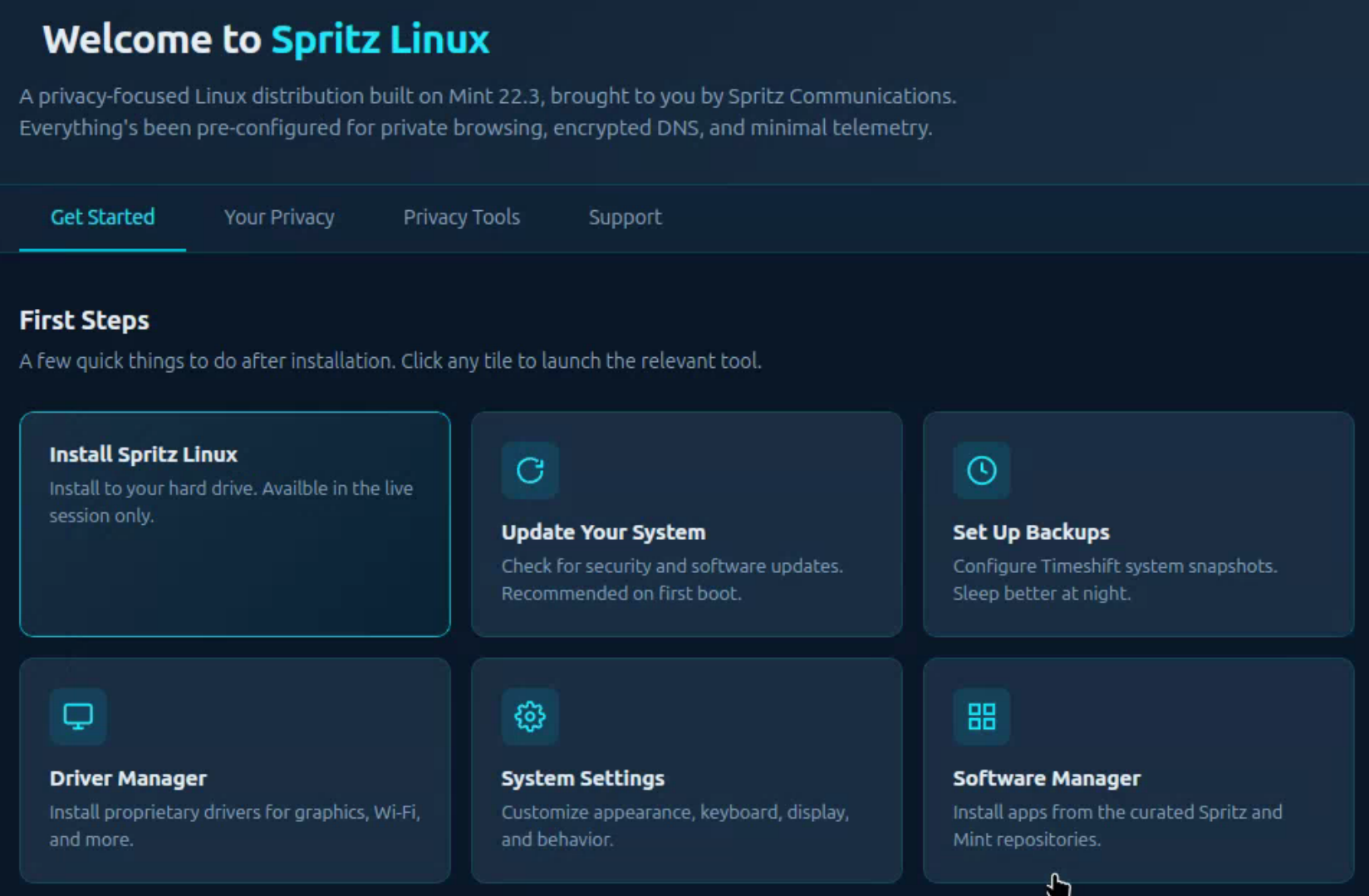
Full Cinnamon desktop, Timeshift backups, Software Manager, Update Manager — everything that makes Mint approachable is still here.
See It in Action
Real screenshots from the live ISO. What you see here is what boots on your machine.
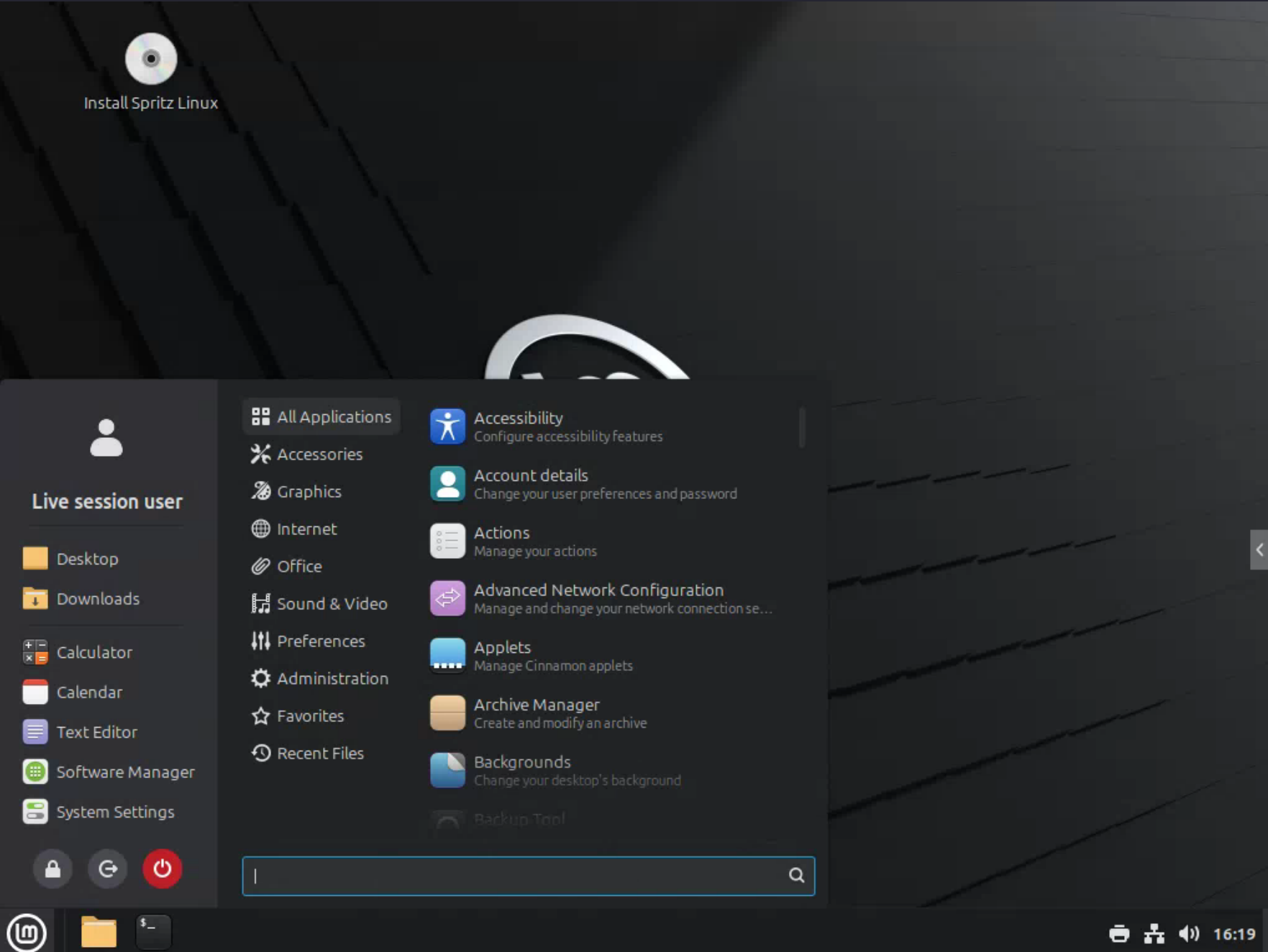
Exactly What We Changed
Full transparency is the point. Every change made to the Linux Mint 23.2 base is documented here. Nothing hidden, nothing vague. If it’s in the ISO, it’s listed below.
Telemetry & Reporting — Removed
ubuntu-report— Ubuntu hardware survey toolapport— Ubuntu crash reporterwhoopsie— Ubuntu error-reporting daemonubuntu-advantage-tools— Ubuntu Pro / Advantage enrollmentsnapd— Snap package daemon and all snap packages- Linux Mint telemetry opt-in prompt disabled by default
Brave Browser — Pre-configured
firefox— removed from the ISO- Brave installed as default browser via managed policy
- Telemetry off: P3A analytics, stats ping, metrics reporting, and anonymized data collection all disabled
- Brave features disabled: Rewards (BAT), Wallet, AI Chat (Leo), News feed, promotional tabs
- Permissions blocked by default: geolocation, notifications, popups, sensors, serial port, USB, Bluetooth
- WebRTC limited to public interface only — prevents IP leaks
- Cookies: third-party cookies blocked; session-only cookies (cleared on close)
- Network: search suggestions, network prediction, and alternate error pages disabled
- Password manager & autofill disabled — use KeePassXC instead
- Extensions locked to allowlist: uBlock Origin, KeePassXC-Browser, Bitwarden
- AdFree Search set as default engine, homepage, and new tab page
- Tor private windows available via Brave's built-in Tor integration
- Browser sign-in disabled — no Google/Brave account required or prompted
- Background mode disabled — Brave fully exits when the window closes
Encrypted DNS
- System default DNS resolver (ISP-assigned) — replaced
- DNSCrypt-proxy installed and running as a system service
- Queries encrypted via Quad9 (malware-blocking) and Mullvad (no-log)
- DNS queries are hidden from your ISP and router from first boot
Privacy Tools — Pre-installed
- KeePassXC — open-source password manager
- Tor Browser — anonymous browsing via the Tor network
- VeraCrypt — full-disk and container encryption
- BleachBit — disk cleaner and secure file shredder
System Hardening
- UFW firewall enabled at first boot — default deny inbound, allow outbound
- AppArmor profiles loaded and in enforce mode
- Kernel hardening applied via
sysctl— restricts ptrace, disables SysRq, hardens network stack - Core dumps disabled (
/etc/security/limits.conf) - IPv6 privacy extensions enabled (
use_tempaddr = 2)
What’s Unchanged
- Full Linux Mint 23.2 Cinnamon desktop — all features intact
- Timeshift system snapshot tool
- Software Manager and Update Manager
- All hardware drivers from the Linux Mint base
- apt package manager — full compatibility with Ubuntu/Mint repos
- Flatpak support enabled (via Flathub)
Frequently Asked Questions
Is Spritz Linux free?
Yes. Free to download, free to use, free forever. No license, no subscription, no account required.
Do I need Linux experience to use it?
Basic computer experience is enough. Spritz Linux is built on Linux Mint, which is one of the most beginner-friendly Linux distributions available. Everything privacy-related is already configured — you don’t need to touch a terminal to be protected.
Can I install it alongside Windows?
Yes. The installer supports dual-boot. You can keep Windows on one partition and run Spritz Linux on another. The installer will walk you through it.
Can I add more software after installing?
Yes. The full apt package manager is available, along with Flatpak via Flathub. You can install anything available in the Ubuntu/Mint repositories. Snap packages are blocked by design.
Why Brave instead of Firefox?
Brave ships with stronger privacy defaults out of the box and supports a managed policy file, which lets us lock down dozens of settings before the ISO is built. Firefox requires more manual configuration to reach the same level. Brave also includes built-in Tor window support.
What is AdFree Search?
AdFree Search (adfreesearch.org) is a privacy-respecting metasearch engine built and operated by Spritz Communications — the same team behind Spritz Linux. No ads, no tracking, no profile building.
How is this different from regular Linux Mint?
Stock Linux Mint is a great desktop OS but ships with telemetry opt-in prompts, Firefox unconfigured, no firewall active by default, and no encrypted DNS. Spritz Linux removes the telemetry packages entirely, replaces Firefox with a hardened Brave install, enables UFW and AppArmor, routes all DNS through DNSCrypt-proxy, and includes a suite of privacy tools ready to use on first boot.
How do I verify my download?
After downloading, open a terminal and run:sha256sum spritz-linux-22.3-cinnamon-amd64.iso
ormd5sum spritz-linux-22.3-cinnamon-amd64.iso
The output should match the checksums listed on this page. If it doesn’t match, the file is corrupted — delete it and download again.
Download Spritz Linux
Free. Always. No account. No email required. Just download and install.
Hosted on Mega.nz — verify the MD5 checksum below after downloading.
36eb366734c08a22a6a9f104d93ac3cd
spritz-linux-22.3-cinnamon-amd64.iso
0d92486d69669347d1e3ad74a204bf807a99501149d74ffba9c92baba731a7f8
spritz-linux-22.3-cinnamon-amd64.iso
System Requirements
Minimum
2 GB RAM
20 GB disk space
64-bit processor
1024×768 display
8 GB USB drive to install
Recommended
4 GB RAM or more
50 GB disk space
Dual-core 64-bit processor
1080p display
Internet connection for updates